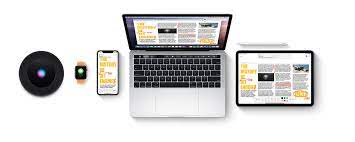
Hate it or crave it, apples wall garden is full of features that mimic simplicity and fulfillment. These features enhance usability, productivity and in general the user experience. Now although some of hem are device or OS specific, they are very exciting.
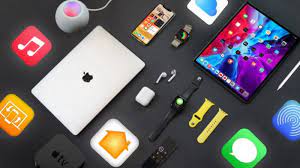
So here are some of them that will blow your mind:
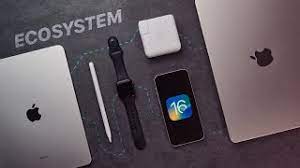
The Apple ecosystem. You’ve heard of it, and maybe you’re even living inside it. The Apple ecosystem makes some incredible things possible—like the convenience of taking a picture with your iPhone and having it pop up on your Mac moments later or the ability to easily switch your AirPods to the device you’re using right now.

A growing number of people refuse to use anything other than an iPhone because of iMessage and FaceTime. But the greatest thing about iMessage and FaceTime might be that they work on almost any Apple device.
The Apple ecosystem lets you sync your messages and calls across devices, meaning you can access FaceTime and iMessage from not only your iPhone but your Mac and iPad as well, making it easy to stay connected with your loved ones no matter what device you’re using.
A lot of people are borderline-obsessed with iMessage and FaceTime. I mean, it’s kind of hard not to be. These services offer unlimited texting, voice, and video calls—all completely free. Well, as long as you have internet and keep buying Apple.
5. iCloud Photos: Your Pictures, Anywhere

There are more than a couple of ways that the iPhone changed the world. But one of the biggest was putting a camera in everybody’s pocket. Because of devices like the iPhone, cameras have gone from something you brought along for special events and vacations to something you can carry with you everywhere.
But even though the iPhone is great for taking pictures, it’s not always where you want to keep them. iCloud Photos helps you bring the photo library from your iPhone to other devices in the Apple ecosystem. All you need to do is enable photo syncing on your iPhone, and any picture you take will automatically upload to the cloud. iCloud photo syncing is not only convenient, but it’s also a great way to manage the storage space on your devices.
Storage space can be expensive, and when it comes to Apple products, in particular, expanding the storage isn’t an option. So, it’s essential to manage the storage you do have as best as you can. Because iCloud Photos is cloud-based, it won’t take up a ton of storage. It’s a great way to free up valuable space on your devices while keeping your photo library within your reach.
4. Handoff: One Pair of Headphones for All Your Devices
If you’ve got a pair of AirPods already, you know they work great with the iPhone. The H1/W1 chip inside helps them do everything from pairing and connecting quickly to boosting their battery life. But, you might not know that with Handoff, you can turn your AirPods into your go-to audio source across your Apple devices—even your Mac.
Handoff lets you seamlessly switch between your iPhone, iPad, and Mac. So, if you’ve got your AirPods connected to your iPhone and decide to open up your MacBook, you’ll automatically get a notification on the screen asking if you want to connect. Even though most headphones can remember more than one device, you’ll have to manually go into your device’s settings and reconnect if you want to switch between them.
With Handoff, you can skip that process entirely, making switching between devices almost effortless. Any pair of earbuds or headphones with Apple’s H1 or W1 chip inside can access Handoff. That includes all Apple’s AirPods models and most of the wireless headphones from Beats.
3. AirDrop: Forget Cables
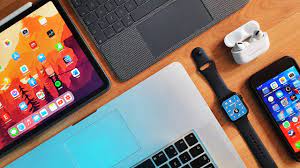
Apple debuted AirDrop on the iPhone all the way back in 2013. But while many people know it as a way to dump memes on people anonymously, it’s also one of the most valuable features in the Apple ecosystem.
Gone are the days of having to pull out a USB cable just to move some photos between your phone and computer. With AirDrop, you can send files between your Apple devices directly over Bluetooth. It’s a fast, easy, and secure way to copy data from one device to another.
AirDrop is a great way to quickly send photos or videos from your iPhone to your Mac, but that’s not all it can do. Try signing a document with your iPad and then airdropping it to a client. AirDrop also has some great outside-the-box uses. If you’re a content creator on the road, you can use your Mac to edit photos or videos and then use AirDrop to send them to your iPhone for publishing.
While there are a few ways to send files from an Android phone to a Windows PC, it’s a much more complicated process that involves making accounts, setting up permissions, and downloading different apps. On the flip side, using Airdrop on an iPhone or Mac is one of the best parts of choosing Apple.
2. Sidecar: Multiple Monitors Made Easy
MacBook and iPad on a desk
Sidecar is a killer feature for anybody who needs to get work done while on the move. With Sidecar, you can use your iPad as a second display for your Mac. Better yet, you can use this feature either wired or wirelessly, meaning it’s easy to get set up and get going wherever you are.
Sidecar is a great way to turn your MacBook into a multi-monitor workstation you can take anywhere. So whether you’re a student, on a work trip, or even a full-time digital nomad, Sidecar might be an excellent feature for you. Using Sidecar to boost your workflow can turn your iPad and Mac into much more than the sum of their parts.
1. Sync Everything With iCloud Drive
One of the most mind-blowing things about the Apple ecosystem is just how connected everything is. We’ve gotten used to cloud-based services like Google Drive letting us access our documents wherever we go, but what if you could sync your desktop too? Well, now you can.
With iCloud Drive, your Mac can automatically sync files from your desktop and documents folder across your Apple device. So, any time you add a new document or folder to your Mac’s desktop, it’ll automatically upload to iCloud. Then, all you need to do is use the Files app on your iPhone or iPad, and you’ll be able to access your files, documents, and projects anytime and anywhere.
We’re Sticking With the Apple Ecosystem
Whether you love it or hate it, the Apple ecosystem is revolutionizing the way we use technology in the 21st century. It’s a given that every manufacturer updates their products with better screens and faster processors, but a lot of the time, their products seem to be getting harder to use, not easier.
Now even though apple devices work well with other apple devices, getting them to work with non-apple devices is a bit of a nightmare. But thankfully we have managed to create a non-apple ecosystem. So stay tuned for that.
THANKS FOR GIVING THIS BLOG YOUR TIME, I HOPE YOU LIKE IT AND PLEASE CONSIDER SUBSCRIBING TO OUR CHANNEL AND FOLLOWING OUR BLOG. THANKYOU
 The Tech Onyx