If you have been following all the AI news floating in the market, you must’ve listened People saying that AI will Replace people (True to a certain point) and the following phrase:
“AI won’t Replace people, the people who know how to use AI will”
Which is true considering all the bluff in the genre of AI. At the time of writing this ChatGPT is a subscription-based service, there are Google’s AI bots, Microsoft has a lot of AI Functions in their Edge browser along with some other tools and there are a few open-source AI such as Stable Diffusion. As we got to know from a recent Jensen Tung’s video, many people hate AI and are afraid of it as people such as Artists have spent years perfecting their craft and are believed to be replaced by a software not even operating at its full potential, yes you read it right, the highest end paid version of ChatGPT is not as powerful nor as intelligent as in its public testing Beta phase. AI can’t clearly operate on its own it surely needs a human brain to do or produce something meaningful. But there are some risks, for example is pre-public versions of ChatGPT some hackers were searching for brute force codes and even open ports on bank servers. So, from everything you’ve read so far you must’ve noticed a few things. One of those things is that the use of AI is (at the time of writing) is kind of gimmicky, yes, it’s a new source of technology and people are using it to create amazing things such as presentations using tome.ai, arts using stable diffusion etc. but still people are still hiring Writers and Developers to write scripts, articles and codes while they can tell MarveCHAT to do the same thing. Now another issue is data, ChatGPT is operating on data based on 2021 which is 2 years behind than Google’s chatbot and other issues persist such as repetition and so on and so forth.
Now on the GOOD GREAT side of AI, Congratulations now you don’t have to use the precise keywords or spend hours trying to find results that (exactly) match.
So, to finally sum up everything stated so far:
AI is GREAT, Gimmicky, and Insane.
AI is Locked
AI subscriptions aren’t sustainable although AI carriers are
AI is Dangerously Intelligent
So, for things you should/can do with AI are experiment, have fun, build a career or many other things.
Thank you for spending your precious time reading this (somewhat) unstructured article. For more such articles visit the article section of this site and with that out of the way, this was DEV, consider following this website and subscribing to our YouTube channel and following us on social media.
It’s Midnight and I had to prepare a presentation for tommorow but I wasn’t able to make time for it, irrelevant? Yes, but in less than eight minutes I had the following two presentation lined up with next to no mistakes from a Freemium Website called Gamma.ai and it’s not the only option available. This Is just an example of how expensive AI is getting better but Freemium options are getting ready for the race. It’s kind of like how the tech from the $100M F1 Car transfer to your daily ride 10 years down the line. Just the thing is AI is getting innovated quicker and as time goes on we will be able to form AI models using pre existing AI models.
Anyways, thanks for giving up your four second attention span on this three minute rush second article. The presentation don’t have any crazy fx at the moment but that is something that the next PowerPoint Update must implement. You can also use extension or “Add-on’s” to achieve the same functionality though it’s not yet native!! Thankyou Very Much…
First of All, OnePlus is Back, So maybe Nord might try to compete. Not a huge issue though, NOTHING is a great company is my opinion, from being able to successfully create OnePlus hype (Credit to Carl Pei) to creating absolutely stunning Products. Although there are some issues in NOTHING’s Products that are holding it back from unleashing its full potential. Now even though I am not a marketing expert by any means, I do think there are a few things that can be improved.
Glyph Interface
Differentiation Factor!? YES. Unique!? Yes. Increases the price of the Handset!? Also a YES. In my opinion Glyph is just a Gimmicky feature that people just LIKE. Why would I need a lot of LED’s on the back of my Phone to see what’s happening on my Phone rather than to see it on the screen. Yes it is a key selling point for the phone apart from the ECOSYSTEM promise and the great design. Honestly when the NOTHING Phone (1) came out I thought it was the craziest concept and i wanted to like it and I did but after using the phone in person and watched a few reviews, its was just Good instead of Amazing. Hope you find some alternative. Removing this will make it more competitive. Also it was a great marketing move to try it to compare it with the iPhone 11 just so that people didn’t compare it to other Phones of the same segment.
Although dont kill glyph, it will be very useful in stuff like headphones, Earphones and wireless charger. And still the gimmick is very interesting.
Lack of Accessories
A Huge amount of Consumers Almost Always Use A Cover, and the Covers available for the NOTHING Phone F*CK up the (fantastic)Design. Its embarrassing that one of the main (marketed)features of the handset is Compromised in favor of protection. TAKE NOTES!!!!
NOTHING isOnePlus
NOTHING is considered as OnePlus in many places. For Example in india, Carl Pei is still the “OnePlus Wala” And Why not, Same Strategies, Same Founder, Same Marketing, Almost same Experience with Different Designs. Team NOTHING needs to Flip the Switch(s) to stand out (MORE). Still the Market Presence is GREAT. But this neccesarily isnt bad things as it helped the company gain presence.
Thanks for reading this blog. This is Dev. Consider following our blog and social media accounts. Thanks!!
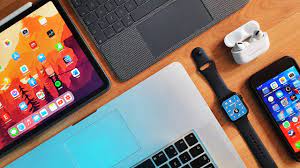
Hate it or crave it, apples wall garden is full of features that mimic simplicity and fulfillment. These features enhance usability, productivity and in general the user experience. Now although some of hem are device or OS specific, they are very exciting.
So here are some of them that will blow your mind:
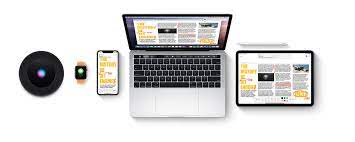
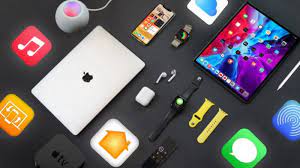
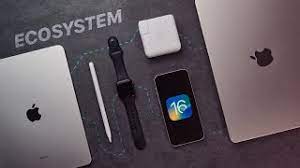
The Apple ecosystem. You’ve heard of it, and maybe you’re even living inside it. The Apple ecosystem makes some incredible things possible—like the convenience of taking a picture with your iPhone and having it pop up on your Mac moments later or the ability to easily switch your AirPods to the device you’re using right now.
A growing number of people refuse to use anything other than an iPhone because of iMessage and FaceTime. But the greatest thing about iMessage and FaceTime might be that they work on almost any Apple device.
The Apple ecosystem lets you sync your messages and calls across devices, meaning you can access FaceTime and iMessage from not only your iPhone but your Mac and iPad as well, making it easy to stay connected with your loved ones no matter what device you’re using.
A lot of people are borderline-obsessed with iMessage and FaceTime. I mean, it’s kind of hard not to be. These services offer unlimited texting, voice, and video calls—all completely free. Well, as long as you have internet and keep buying Apple.
5. iCloud Photos: Your Pictures, Anywhere
There are more than a couple of ways that the iPhone changed the world. But one of the biggest was putting a camera in everybody’s pocket. Because of devices like the iPhone, cameras have gone from something you brought along for special events and vacations to something you can carry with you everywhere.
But even though the iPhone is great for taking pictures, it’s not always where you want to keep them. iCloud Photos helps you bring the photo library from your iPhone to other devices in the Apple ecosystem. All you need to do is enable photo syncing on your iPhone, and any picture you take will automatically upload to the cloud. iCloud photo syncing is not only convenient, but it’s also a great way to manage the storage space on your devices.
Storage space can be expensive, and when it comes to Apple products, in particular, expanding the storage isn’t an option. So, it’s essential to manage the storage you do have as best as you can. Because iCloud Photos is cloud-based, it won’t take up a ton of storage. It’s a great way to free up valuable space on your devices while keeping your photo library within your reach.
4. Handoff: One Pair of Headphones for All Your Devices
If you’ve got a pair of AirPods already, you know they work great with the iPhone. The H1/W1 chip inside helps them do everything from pairing and connecting quickly to boosting their battery life. But, you might not know that with Handoff, you can turn your AirPods into your go-to audio source across your Apple devices—even your Mac.
Handoff lets you seamlessly switch between your iPhone, iPad, and Mac. So, if you’ve got your AirPods connected to your iPhone and decide to open up your MacBook, you’ll automatically get a notification on the screen asking if you want to connect. Even though most headphones can remember more than one device, you’ll have to manually go into your device’s settings and reconnect if you want to switch between them.
With Handoff, you can skip that process entirely, making switching between devices almost effortless. Any pair of earbuds or headphones with Apple’s H1 or W1 chip inside can access Handoff. That includes all Apple’s AirPods models and most of the wireless headphones from Beats.
3. AirDrop: Forget Cables
Apple debuted AirDrop on the iPhone all the way back in 2013. But while many people know it as a way to dump memes on people anonymously, it’s also one of the most valuable features in the Apple ecosystem.
Gone are the days of having to pull out a USB cable just to move some photos between your phone and computer. With AirDrop, you can send files between your Apple devices directly over Bluetooth. It’s a fast, easy, and secure way to copy data from one device to another.
AirDrop is a great way to quickly send photos or videos from your iPhone to your Mac, but that’s not all it can do. Try signing a document with your iPad and then airdropping it to a client. AirDrop also has some great outside-the-box uses. If you’re a content creator on the road, you can use your Mac to edit photos or videos and then use AirDrop to send them to your iPhone for publishing.
While there are a few ways to send files from an Android phone to a Windows PC, it’s a much more complicated process that involves making accounts, setting up permissions, and downloading different apps. On the flip side, using Airdrop on an iPhone or Mac is one of the best parts of choosing Apple.
2. Sidecar: Multiple Monitors Made Easy
MacBook and iPad on a desk
Sidecar is a killer feature for anybody who needs to get work done while on the move. With Sidecar, you can use your iPad as a second display for your Mac. Better yet, you can use this feature either wired or wirelessly, meaning it’s easy to get set up and get going wherever you are.
Sidecar is a great way to turn your MacBook into a multi-monitor workstation you can take anywhere. So whether you’re a student, on a work trip, or even a full-time digital nomad, Sidecar might be an excellent feature for you. Using Sidecar to boost your workflow can turn your iPad and Mac into much more than the sum of their parts.
1. Sync Everything With iCloud Drive
One of the most mind-blowing things about the Apple ecosystem is just how connected everything is. We’ve gotten used to cloud-based services like Google Drive letting us access our documents wherever we go, but what if you could sync your desktop too? Well, now you can.
With iCloud Drive, your Mac can automatically sync files from your desktop and documents folder across your Apple device. So, any time you add a new document or folder to your Mac’s desktop, it’ll automatically upload to iCloud. Then, all you need to do is use the Files app on your iPhone or iPad, and you’ll be able to access your files, documents, and projects anytime and anywhere.
We’re Sticking With the Apple Ecosystem
Whether you love it or hate it, the Apple ecosystem is revolutionizing the way we use technology in the 21st century. It’s a given that every manufacturer updates their products with better screens and faster processors, but a lot of the time, their products seem to be getting harder to use, not easier.
Now even though apple devices work well with other apple devices, getting them to work with non-apple devices is a bit of a nightmare. But thankfully we have managed to create a non-apple ecosystem. So stay tuned for that.
THANKS FOR GIVING THIS BLOG YOUR TIME, I HOPE YOU LIKE IT AND PLEASE CONSIDER SUBSCRIBING TO OUR CHANNEL AND FOLLOWING OUR BLOG. THANKYOU
Even though I am not a true expert in jailbreaking and have just a bit experience in this space, I would still like to share my thoughts and experience with you on this topic. I hope you like it.
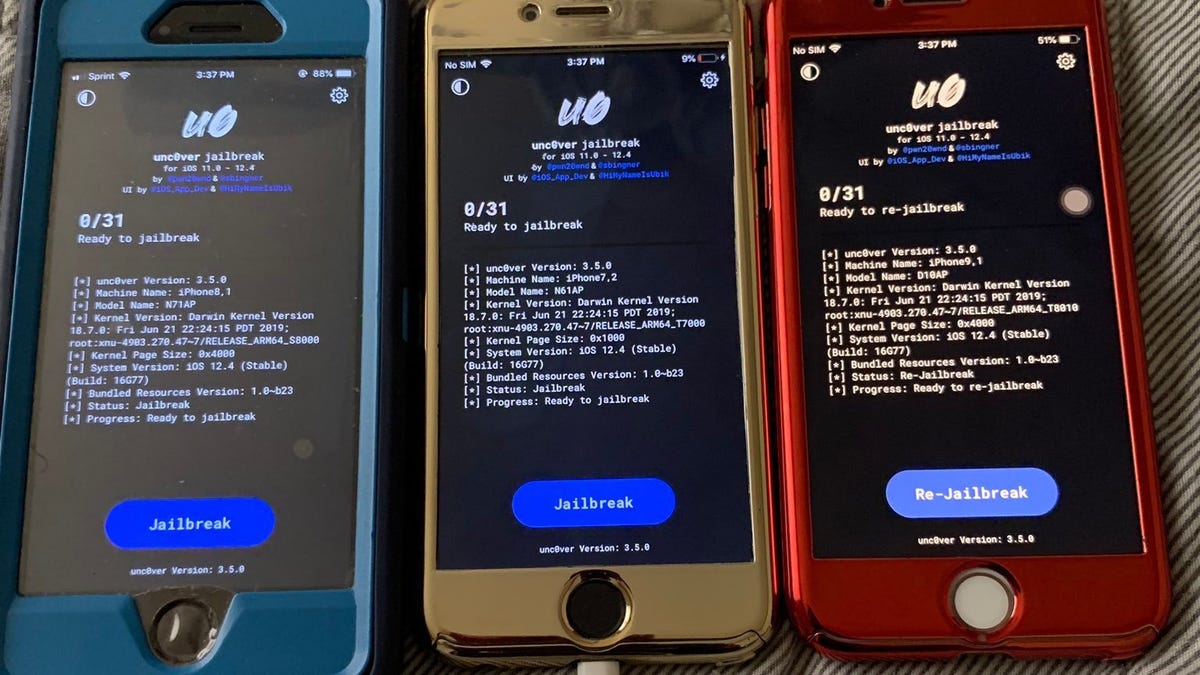
Now, unless you’ve been living in a cave or you’re an Android user, you must know a little bit about jailbreaking as it has existed since JULY 2007. To put it simply, in the most basic form jailbreaking is the process of bypassing restrictions that apple has put on their devices and software by some third party software such as; Cydia.
Now to the real question, should you jailbreak your devices? Fundamentally, this question relies on you based on the benefits you cand get out of it. Regardless there are some flaws of jailbreaking.
ADVANTAGES
DISADVANTAGES
Full control over your device
not VERY but still a Complicated Process
Access over many amazing apps and features
Hard to remove jailbreak
Exclusive apps and operating systems
Support for banking apps removed
Even Greater community support for Devices
May kill you device with warranty removed
IOS jailbreak
Based on the above list, you can decide whether to jailbreak your device or not and the image you see above is actually an ios screen. NOW, AS ALWAYS THANKS FOR GIVING THIS ARTICLE YOUR TIME. CONSIDER SHARING, FOLLOWING OUR BLOG AND SUBSCRIBING TO OUR CHANNEL.
Everybody loves their computer, they probably don’t wanna ruin it. Henceforth, here are some tips to keep it safe.
MALWARE AND OTHER MALICIOUS SOFTWARES
Generic but very crucial advice don’t trust anything and everything you see on social media. Sometimes even paid packages might contain malware. You don’t necessarily need an antivirus; WINDOWS DEFENDER is enough for most users.
CHEAP GENERIC COMPONENTS
Many cheap components, especially the generic ones, whether it be PSU’s (which are very risky)or Graphic Cards they have the potential to harm your PC. Via harmful source code, bad circuitry, or maybe even bad development. So STAY AWAY!
SUPER HEAVY SOFTWARE
Not all Computers can run Blender, DaVinci Resolve, NORTON or Adobe Error Pro. Running super heavy software may just render your PC useless. Also some PC’s are designed for specific purposes so don’t try to experiment.
FAKE/OVER OPTIMIZATIONS
Things such as disabling necessary factory settings, over optimizing, deleting system32 or your computers drivers. Your computer might be rendered useless. Every optimization you do needs to be double checked.
INCORRECT BIOS SETTINGS
If you don’t already know, BIOS or Basic Input Output System is the base software that lets your hardware communicate wit each other. So don’t tinker without prior knowledge.
THAKS FOR GIVING US YOUR VALUEABLE TIME. HOPE TO SEE YOU IN THE NEXT ONE. PLEASE CONSIDER SHARING, FOLLOWING OUR BLOG AND SBSCRIBING TO OUR YOUTUE CHANNEL.



 The Tech Onyx